Understand your scores and feedback
Who this is for: Sales reps; managers see Review conversations.
Open a session report
After a call: View analysis, or from Conversation Review.
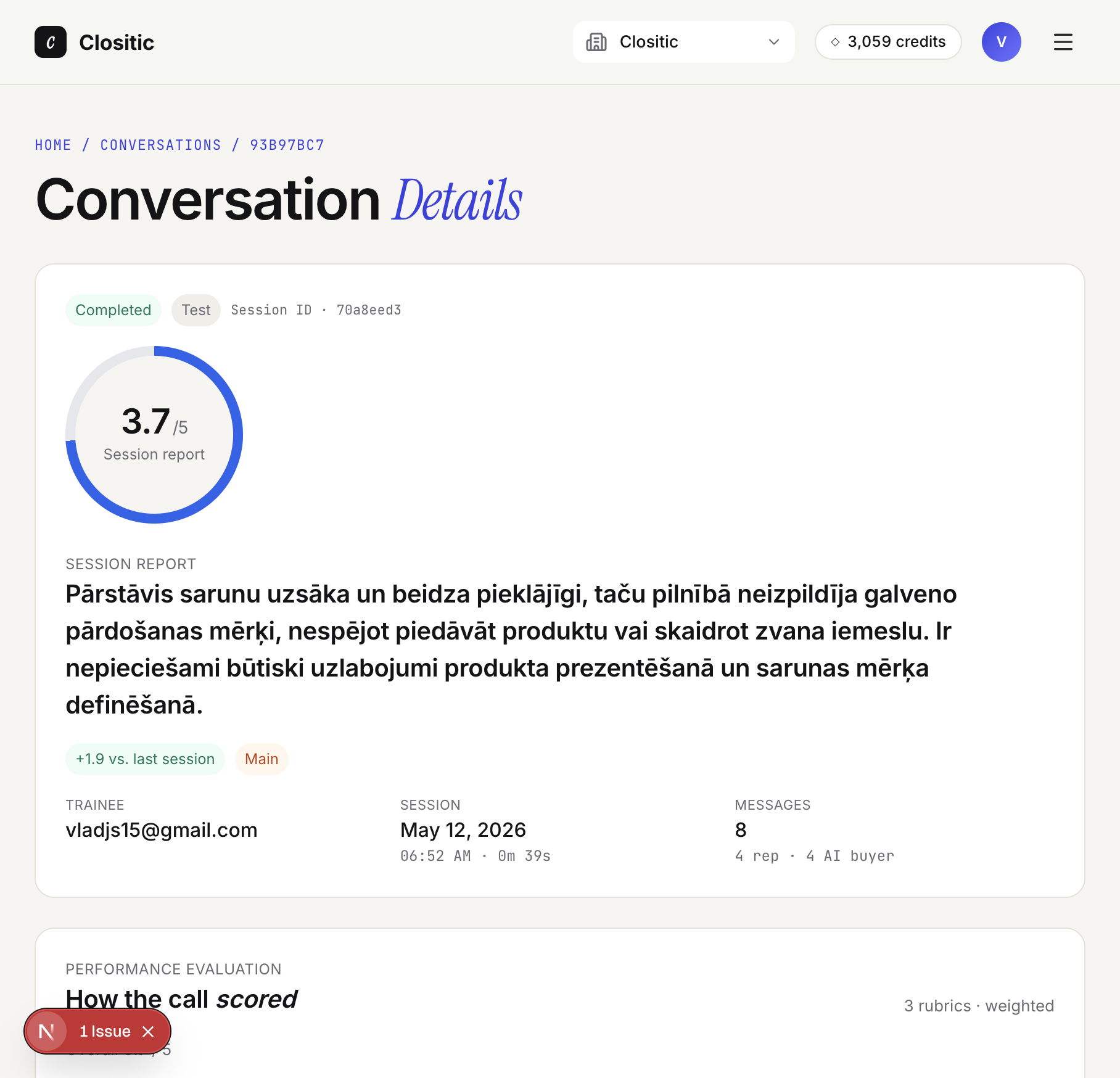
Top of the report
| Element | What it means |
|---|---|
| Completed | The call has finished |
| 3.7 / 5 | Overall score |
| +X vs. last session | Comparison with your previous evaluated call |
| Session report | Short AI summary of the session |
Pending analysis — click Analyse now.
How the call scored
If your workspace has a script configured (scoring criteria), this section shows each section’s score, note, strength, or gap.
What to do next
- Keep doing — what to keep doing in your calls and approach
- Start doing — what to start doing in your calls and approach
- Stop doing — what to stop doing in your calls and approach
Full transcript
Messages labelled Rep and AI buyer with Could be better, Missed, and Avoid suggestions.
If something goes wrong
Analysis failed — Analyse now or Re-run analysis. See Troubleshooting.