Company settings
Who this is for: Owners and Admins.
Open settings
From the dashboard or menu, open Settings.
Path: Settings / Company
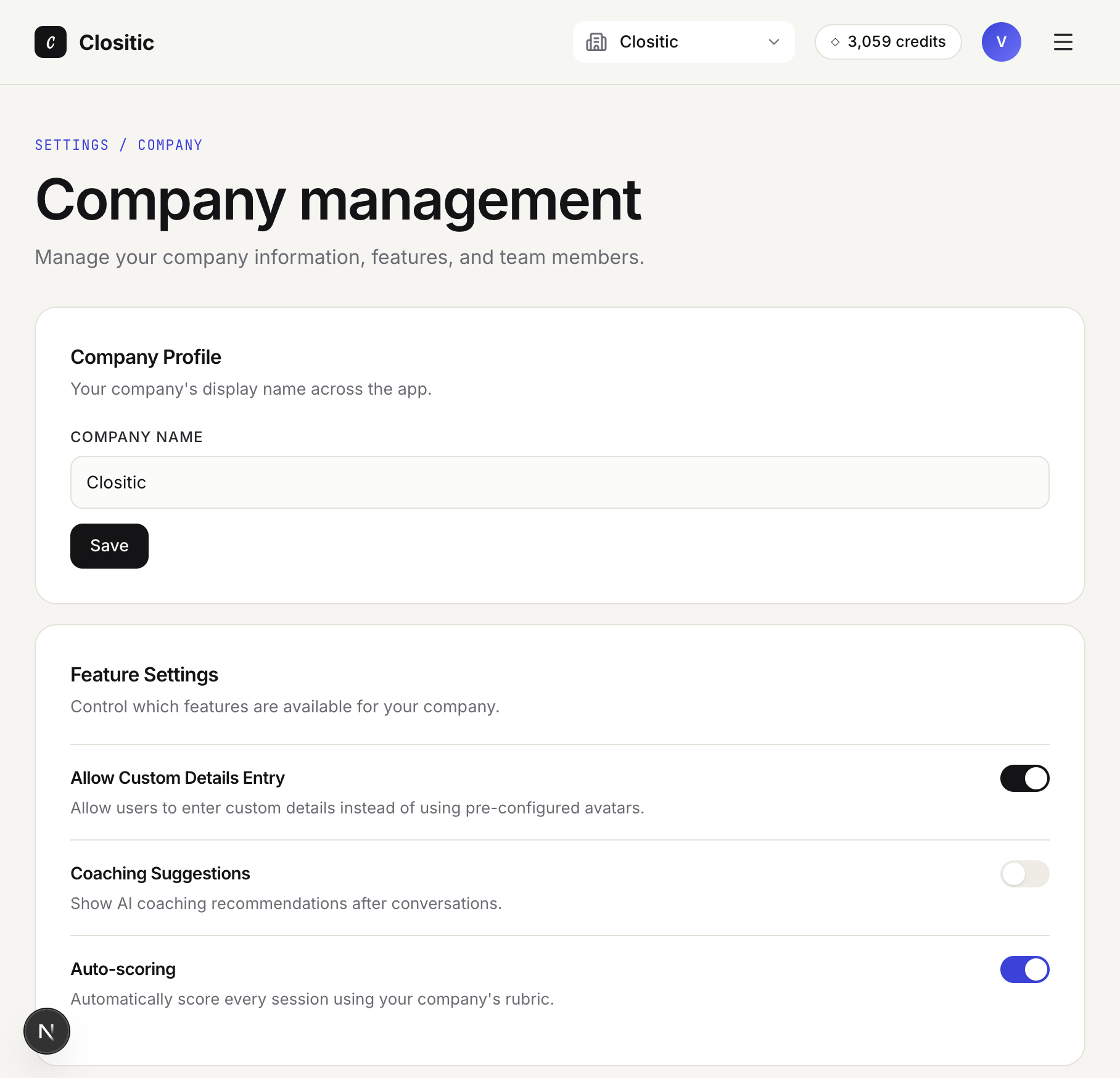
Company profile
- Under Company Profile, edit Company name (displayed across the app).
- Click Save. You’ll see Saved when it succeeds.
Feature settings
Toggle features for everyone in the company:
| Feature | When to enable |
|---|---|
| Allow Custom Details Entry | Reps can fill their own scenario fields instead of only picking avatars |
| Coaching Suggestions | Show Keep / Start / Stop recommendations after analysis |
| Auto-scoring | Automatically analyse and score each completed session |
Invite team members
- Under Invite Team Members, enter Email Address.
- Choose Role: Member (practice only) or Admin (full manager access except Owner-only actions).
- Click Send Invitation.
Pending invitations lists outstanding invites with expiry, Resend, Copy invite link, and Cancel.
Common messages:
- This person is already a member
- An active invitation already exists for this email
- Invitation created, but the email could not be sent — Use Copy invite link
Team members
Team Members lists everyone with join date. Use the member menu to Change role or Remove member.
- You cannot remove yourself or change the Owner role from here (Owner transfer is not supported in the current product).
Credits
The Credits section shows the balance available for AI conversations. Link View detailed usage in Performance for usage context.
Customer avatars
Create training scenarios under Customer Avatars — see Customer avatars and rubrics.
If something goes wrong
- Too many invitations — Wait a minute and try again (rate limit).
- See Troubleshooting.