Team performance
Who this is for: Owners and Admins.
Team overview
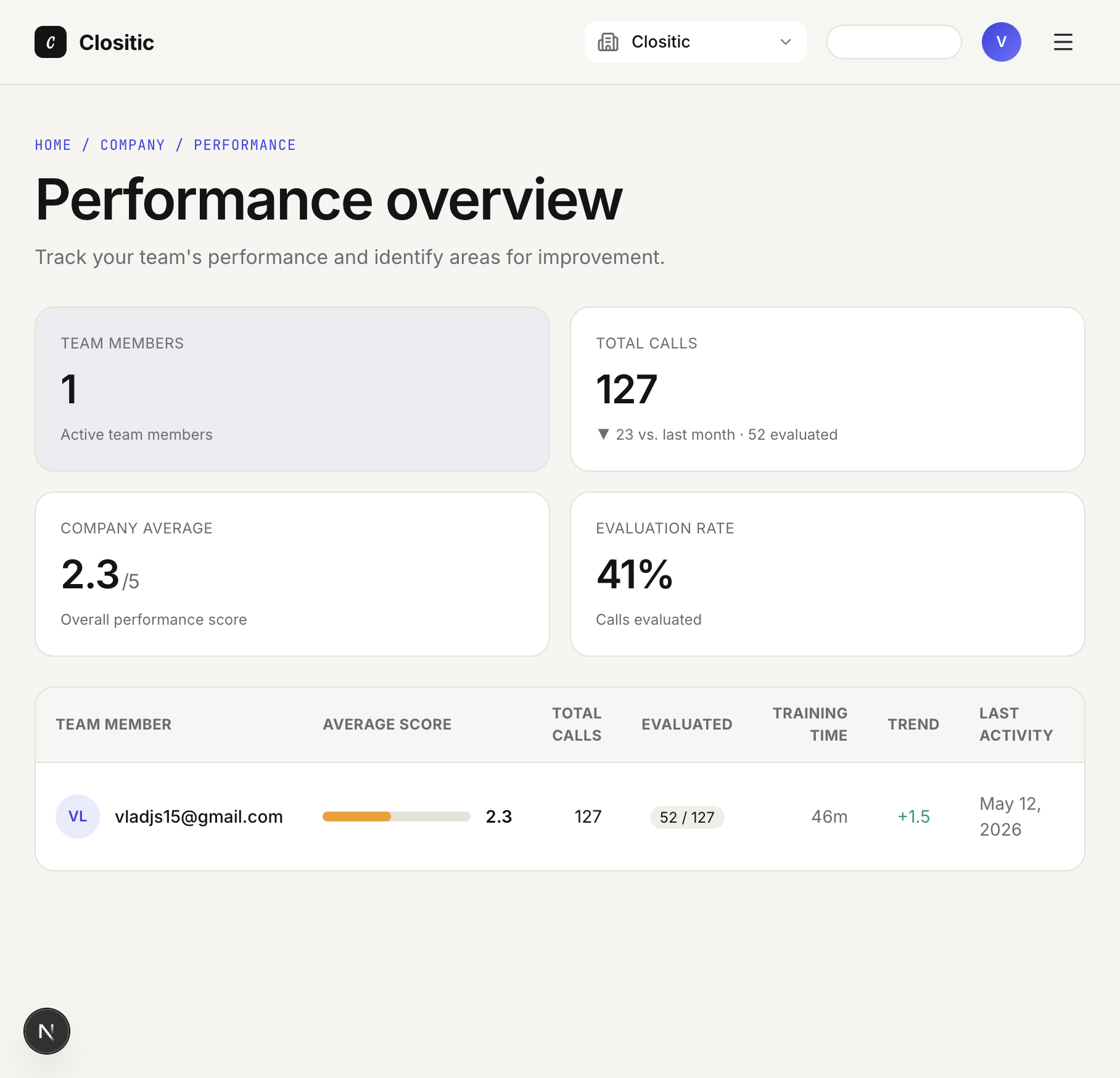
Open Performance Overview from the dashboard or menu.
Path: Home / Company / Performance

Summary cards
| Card | Meaning |
|---|---|
| Team members | Active members in the company |
| Total calls | All roleplay calls; includes evaluated count and optional month-over-month change |
| Company average | Mean score across evaluated calls (out of 5) |
| Evaluation rate | Share of calls that have been scored |
Team table
Columns include Team member, Average score, Total calls, Evaluated (e.g. 52 / 127), Training time, Trend, and Last activity.
Click View details → on a row to open that rep’s page.
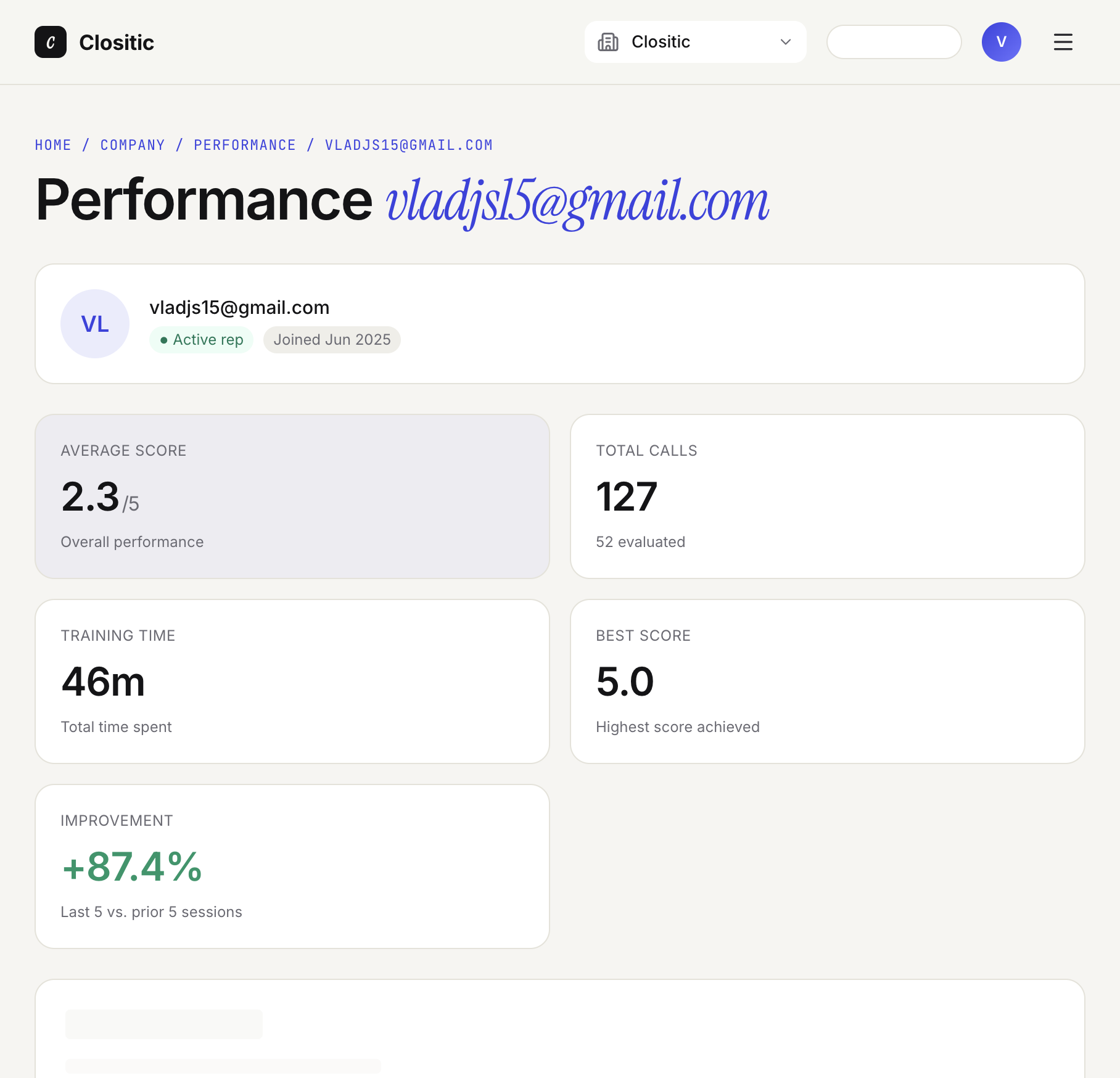
Individual rep performance

Path: Home / Company / Performance / {rep}
You’ll see:
- Active rep and Joined date
- KPIs: average score, total calls, training time, best score, improvement (last 5 vs. prior 5 evaluated calls when enough data exists)
- Score trend chart — Per-call scores over time with colour bands (excellent, good, needs work, poor)
- Call history — Latest calls with score, messages, duration, difficulty, status (Evaluated / Pending), and View links to conversation details
How to use this with coaching
- Watch Trend on the team table for reps improving or slipping.
- Open weak sessions from Call history via View.
- Pair with Review conversations for transcript-level feedback.
If something goes wrong
- Improvement: Not enough data — The rep needs more evaluated calls.
- Empty team — Invite members from Company settings.